2025-10-07T19:18:54Emergencynginxnginx: configuration file /usr/local/etc/nginx/nginx.conf test failed
2025-10-07T19:18:54Emergencynginxnginx: [emerg] BIO_new_file("/usr/local/opnsense/data/OPNsense/Nginx/dh-parameters.4096.rfc7919") failed (SSL: error:80000002:system library::No such file or directory:calling fopen(/usr/local/opnsense/data/OPNsense/Nginx/dh-parameters.4096.rfc7919, r) error:10000080:BIO routines::no such file)
원인
실제 해당 위치(/usr/local/opnsense/data/OPNsense/Nginx/)에 파일(dh-parameters.4096.rfc7919)이 존재하지 않음
재부팅 시 파일이 어떤 이유에서인지 삭제된 것으로 추정
화이트박스의 전원 버튼을 눌러 하드웨어적인 Shutdonw을 진행한 것이 원인으로 추정됨
재부팅 시 다소 불안정한 상태이 로그를 확인할 수 있음
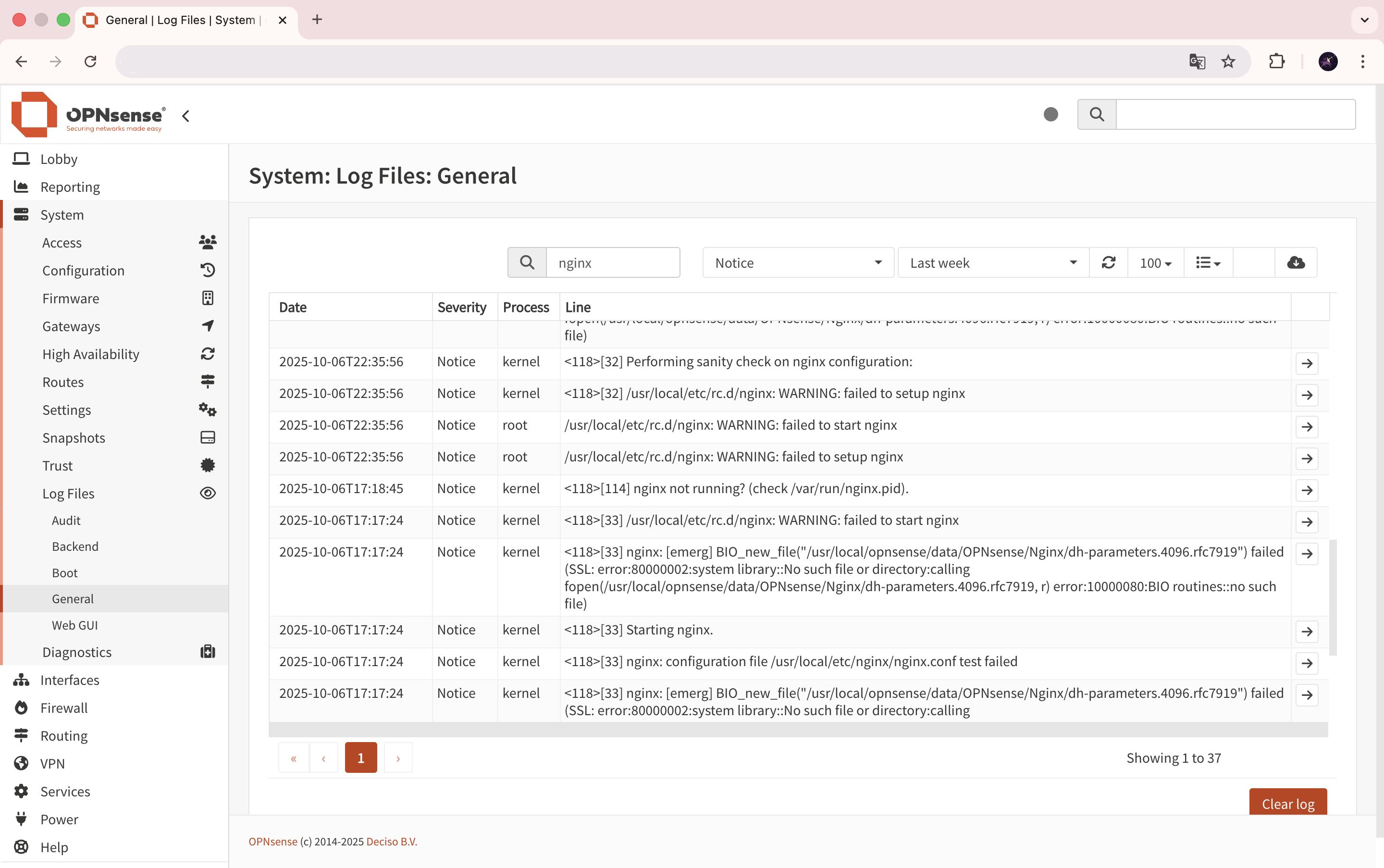
2025-10-06T17:18:45Noticekernel<118>[114] nginx not running? (check /var/run/nginx.pid).
2025-10-06T17:17:24Noticekernel<118>[33] /usr/local/etc/rc.d/nginx: WARNING: failed to start nginx
2025-10-06T17:17:24Noticekernel<118>[33] nginx: [emerg] BIO_new_file("/usr/local/opnsense/data/OPNsense/Nginx/dh-parameters.4096.rfc7919") failed (SSL: error:80000002:system library::No such file or directory:calling fopen(/usr/local/opnsense/data/OPNsense/Nginx/dh-parameters.4096.rfc7919, r) error:10000080:BIO routines::no such file)
2025-10-06T17:17:24Noticekernel<118>[33] Starting nginx.
2025-10-06T17:17:24Noticekernel<118>[33] nginx: configuration file /usr/local/etc/nginx/nginx.conf test failed
2025-10-06T17:17:24Noticekernel<118>[33] nginx: [emerg] BIO_new_file("/usr/local/opnsense/data/OPNsense/Nginx/dh-parameters.4096.rfc7919") failed (SSL: error:80000002:system library::No such file or directory:calling fopen(/usr/local/opnsense/data/OPNsense/Nginx/dh-parameters.4096.rfc7919, r) error:10000080:BIO routines::no such file)
2025-10-06T17:17:24Noticekernel<118>[33] Performing sanity check on nginx configuration:
2025-10-06T17:17:24Noticekernel<118>[33] /usr/local/etc/rc.d/nginx: WARNING: failed to setup nginx
2025-10-06T17:17:24Noticeroot/usr/local/etc/rc.d/nginx: WARNING: failed to start nginx
2025-10-06T17:17:24Noticeroot/usr/local/etc/rc.d/nginx: WARNING: failed to setup nginx
조치
dh-parameters.4096.rfc7919 파일 생성
OPNsense SSH 접속 후 아래 명령어 실행 - 파일 생성에 약 10분정도 소요
openssl dhparam -out /usr/local/opnsense/data/OPNsense/Nginx/dh-parameters.4096.rfc7919 4096

#Generating DH parameters, 4096 bit long safe prime
#...................................................